Guide article of the new Toolkit3 app to allow users to configure the Discharge Control Settings.
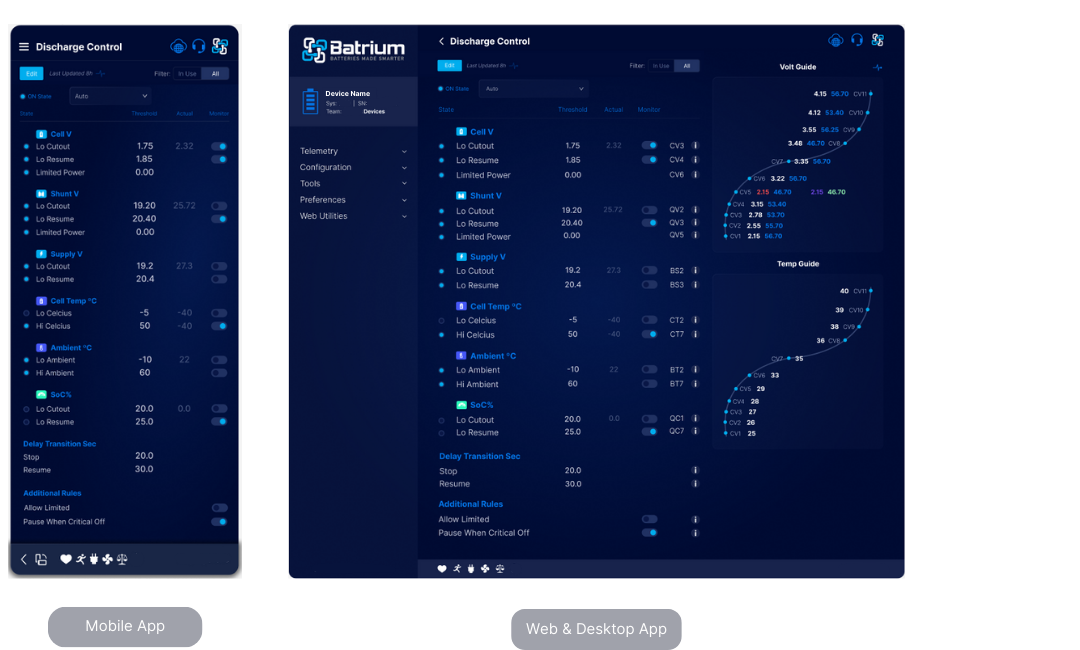
Navigate to the screen via the Menu and choose the Configuration tab. Choose Discharge Control from the drop-down menu.
¶ Edit Mode Overview
Editing is only available when in 'Technician' mode.
For guide on how to make changes, go to Configuration Guide and Icons.
- Adjust the control parameter to suit the ESS application.
- Save
- Monitor using the telemetry and chart screens.
¶ Field Definitions
¶ Discharging — Overall State
Depending on state will engage or disengage the relay (and/or communicate with the remote charger equipment). The thresholds are the operating parameters used for the battery.
| State | Description |
|---|---|
| ON state | ON |
| OFF state | OFF |
| LIMP | Limited Power |
| ON transitioning to OFF | The state is currently ON however the rules will switch OFF if the state continues for the threshold stop period. |
| OFF transitioning to ON | The state is currently OFF however the rules will switch ON if the elapsed restart interval has occurred. |
¶ Discharging — Operating Mode

| Setting | Description |
|---|---|
| Auto | This will adopt the state calculated based on the thresholds specified. |
| ManualOn | This will force the system state to be ON. |
| Manual Off | This will force the system state to be OFF. |
¶ Cell Volt
| Field | Description |
|---|---|
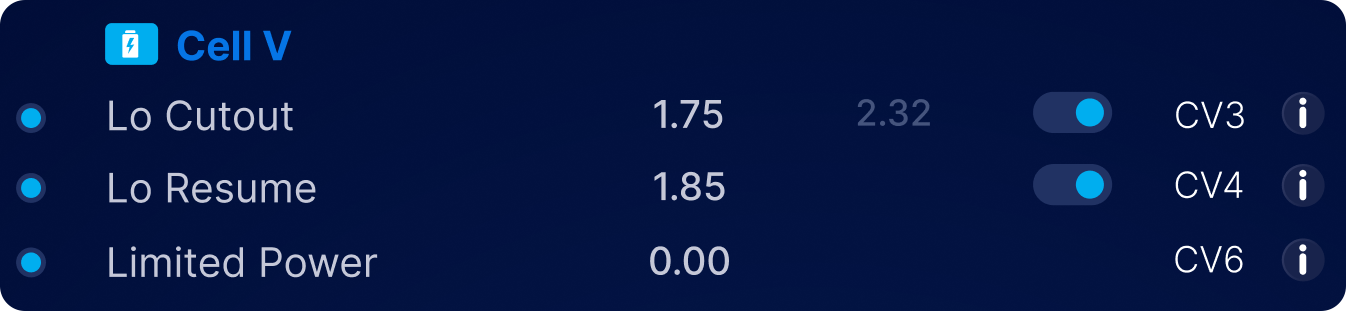
| Lo Cutout (CV3) | Cell voltage below this stops the discharging process when monitoring is enabled. |
| Lo Resume (CV4) | Cell voltage above this resumes or restarts the discharging process when monitoring is enabled. |
| Limited Power (CV6) | Cell voltage below this engages limited-power mode—removes non-critical loads or runs in limp mode; only available if Limited Power is enabled. |
¶ Shunt Volt
| Field | Description |
|---|---|
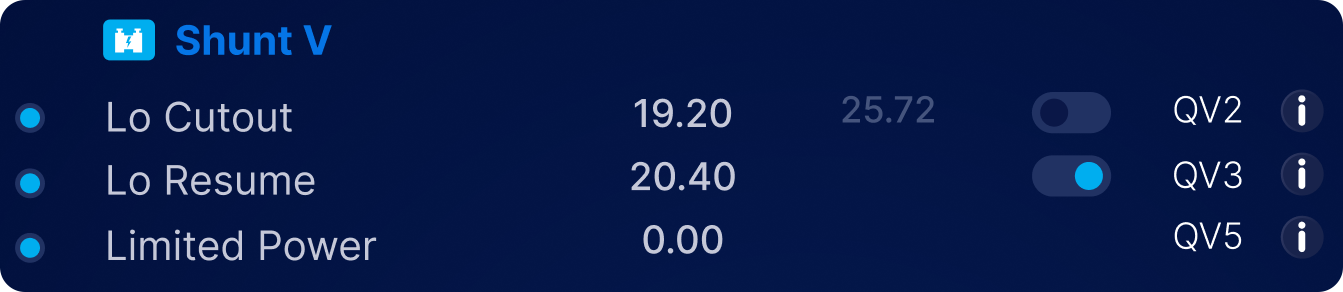
| Lo Cutout (QV2) | Shunt voltage below this stops discharging when monitoring is enabled. |
| Lo Resume (QV3) | Shunt voltage above this resumes or restarts discharging when monitoring is enabled. |
| Limited Power (QV5) | Shunt voltage below this engages limited-power discharging (removes non-critical loads or limp mode); only available if Limited Power is enabled. |
¶ Supply Volt

| Field | Description |
|---|---|
| Lo Cutout (BS2) | WatchMon supply voltage below this stops discharging when monitoring is enabled. |
| Lo Resume (BS3) | WatchMon supply voltage above this resumes or restarts discharging when monitoring is enabled. |
¶ Cell Temp °C

| Field | Description |
|---|---|
| Lo Celcius (CT2) | Cell temperature below this (Low) stops discharging when monitoring is enabled. |
| Hi Celcius (CT7) | Cell temperature above this (High) stops discharging when monitoring is enabled. |
¶ Ambient °C

| Field | Description |
|---|---|
| Lo Ambient (BT2) | WatchMon supervisor temperature below this (Low) stops discharging when monitoring is enabled. |
| Hi Ambient (BT7) | WatchMon supervisor temperature above this (High) stops discharging when monitoring is enabled. |
¶ SoC%

| Field | Description |
|---|---|
| Lo Cutout (QC6) | Shunt State of Charge percentage below this stops discharging when monitoring is enabled. |
| Lo Resume (QC7) | SoC% above this resumes or restarts discharging when monitoring is enabled. |
¶ Delay Transition Sec

| Field | Description |
|---|---|
| Stop (DE3) | Ensures state change from ON/Limited to OFF must exceed specified seconds to occur. |
| Resume (DE4) | Ensures state change from OFF to ON/Limited must exceed specified seconds to occur. |
¶ Additional Rules

| Field | Description |
|---|---|
| Allow Limited (DF1) | Will enable the limited power mode of operation to ensure limited discharging mode when cells are in a low state of charge (SoC%) or voltage threshold. |
| Pause When Critical Off (DF2) | Prevent discharge when in a critical state, this will also have the remote target rate set to 0A. |
| Remote Amp Off = Non-Zero (DF3) | When turned on, if the BMS needs to stop discharging, we will instead ask for 0.1A (smallest possible), as some inverters treat 0A discharge limit as a different fault |