Guide article of the new Toolkit3 app to allow users to configure the Charge Control Settings.
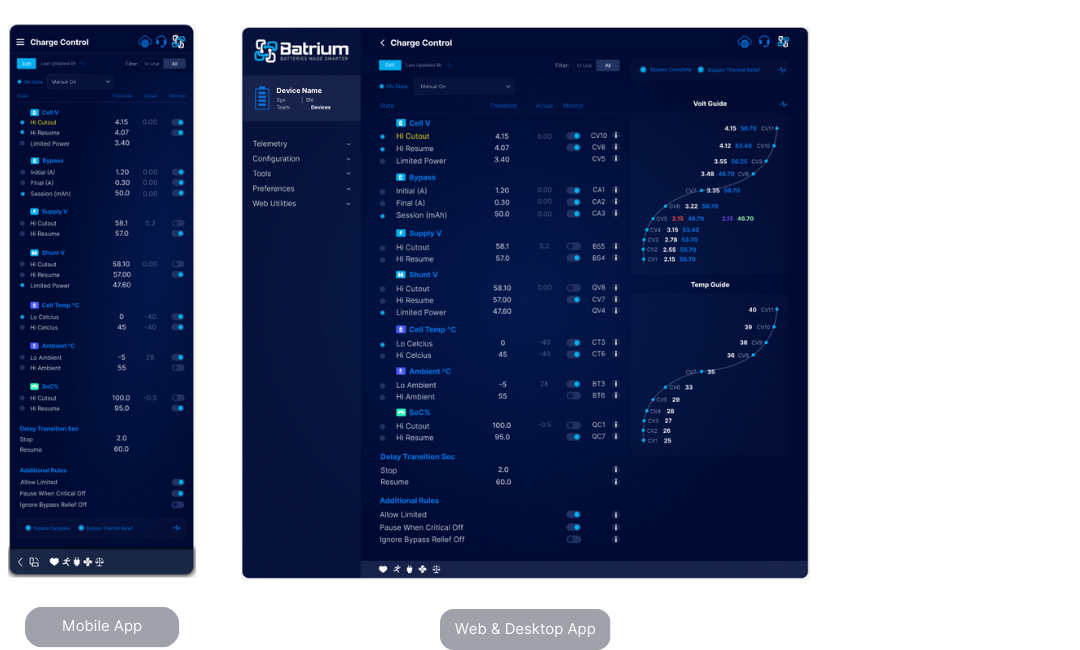
Navigate to the screen via the Menu and choose the Configuration tab. Choose Charge Control from the drop-down menu.
¶ Edit Mode Overview
Editing is only available when in 'Technician' mode.
For guide on how to make changes, go to Configuration Guide and Icons.
- Adjust the control parameter to suit the ESS application.
- Save.
- Monitor using the telemetry and chart screens.
¶ Charging / Balancing Process Flow
Note: This is not comprehensive as many additional parameters can handle further edge cases.
The following logic outlines some of the key steps:
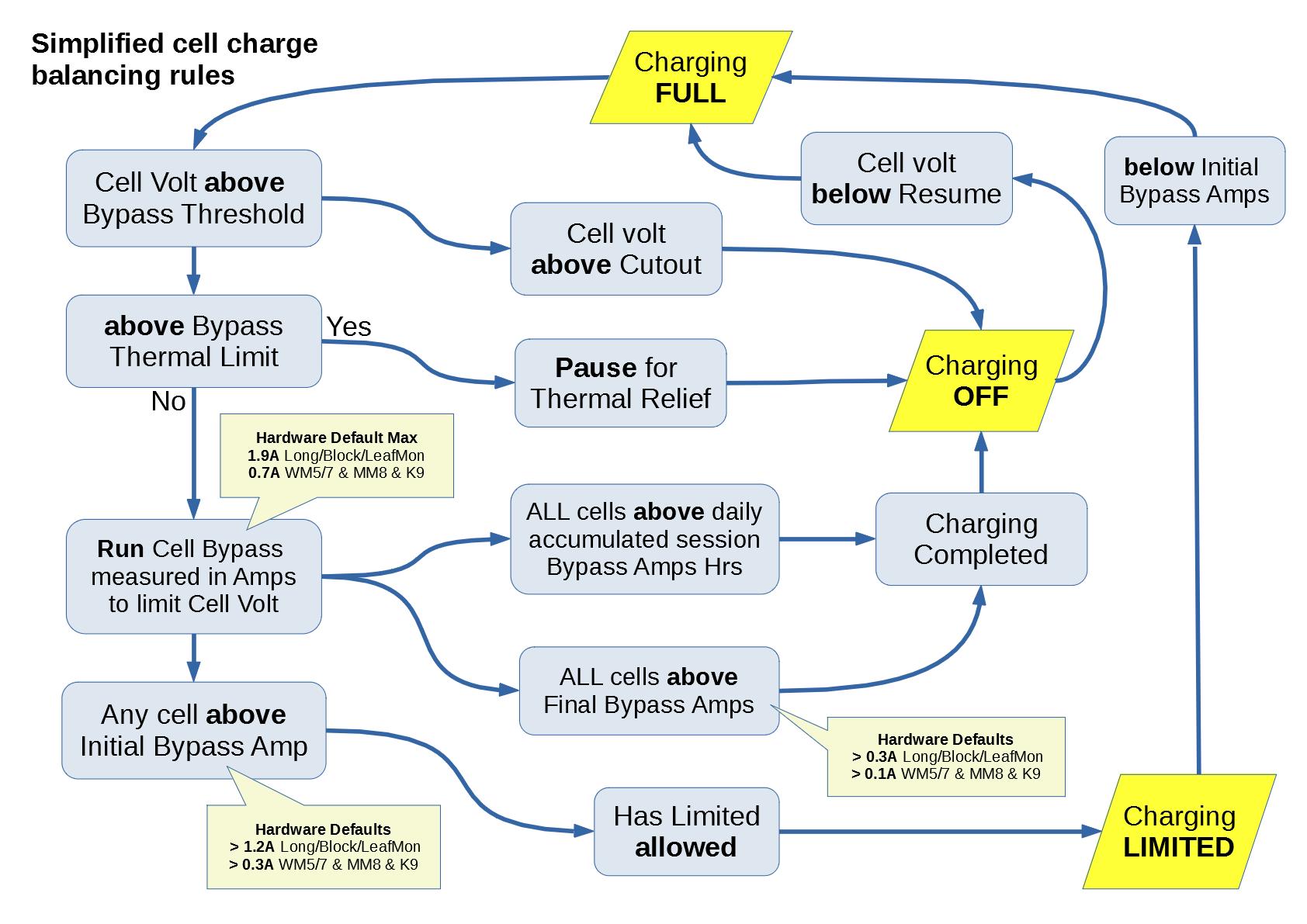
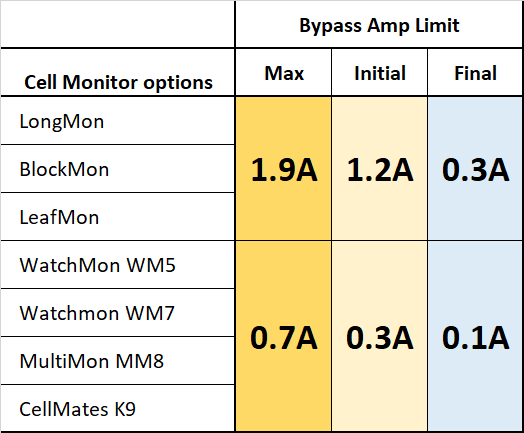
It is important that the Initial Bypass Amp threshold can be achieved by the hardware. If you reduce the Balancing current below Initial Bypass Amp the system will not move to Limited mode.
¶ Typical Hardware settings
¶ Field Definitions
¶ Charging — Overall State
Depending on state will engage or disengage the relay (and/or communicate with the remote charger equipment). The thresholds are the normal operating parameters used for the battery.
| State | Description |
|---|---|
| ON state | ON |
| OFF state | OFF |
| LIMP | Limited Power |
| ON transitioning to OFF | The state is currently ON however the rules will switch OFF if the state continues for the threshold stop period. |
| OFF transitioning to ON | The state is currently OFF however the rules will switch ON if the elapsed restart interval has occurred. |
¶ Charging — Operating Mode

| Option | Description |
|---|---|
| Auto | This will adopt the state calculated based on the thresholds specified. |
| ManualOn | This will force the system state to be ON. |
| Manual Off | This will force the system state to be OFF. |
¶ Cell Volt
| Tag | Field | Description |
|---|---|---|
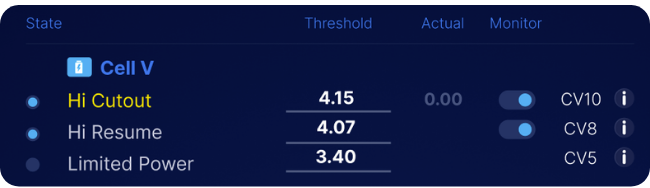
| CV10 | Hi Cutout | Cell voltage threshold for charging. If exceeded and monitoring is enabled, charging stops. |
| CV8 | Hi Resume | Cell voltage level below which charging may resume after being previously stopped. |
| CV5 | Limited Power | Lowest cell voltage; if below this, charging remains in limited‑power state until recharging above threshold. |
¶ Bypass
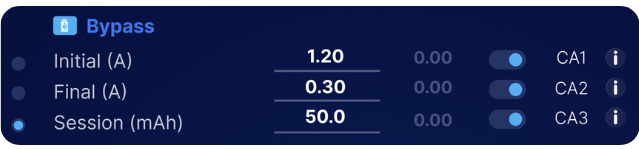
| Tag | Field | Description |
|---|---|---|
| CA2 | Final Bypass | CellMon current threshold; when all CellMons are above this simultaneously, balancing is marked complete, which stops charging. If shunt recalibration is configured, triggers 100% SoC. |
| CV14 | Initial Bypass Volts | CellMon bypass voltage threshold; when exceeded, changes to limited‑power charging. Requires monitoring and typically remote communication; target parameters set via remote tab. |
| CA1 | Initial Bypass Amps | CellMon bypass current threshold; when exceeded, changes to limited‑power charging. Requires monitoring and typically remote communication; target parameters set via remote tab. |
| CA3 | Session in mAh | Latest bypass session mAh value; when used with shunt recalibration and in balance, it can trigger 100% SoC. |
¶ Supply Volt

| Tag | Field | Description |
|---|---|---|
| BS5 | Hi Cutout | Upper WatchMon supply voltage; charging stops if exceeded under active monitoring. |
| BS4 | Hi Resume | Supply voltage level below which charging may resume. |
¶ Shunt Volt
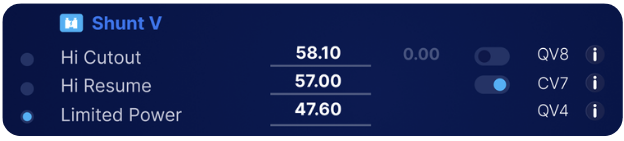
| Field | Description |
|---|---|
| Hi Cutout (QV8) | The shunt voltage threshold to charge up to, if above will stop when enabled to monitor. |
| Hi Resume (QV7) | The shunt voltage threshold to resume/recover the charging process once the actuals have dropped |
| Limited Power Shunt Volt (QV4) | The shunt voltage that when below will hold the charging process in a limited power state until the system recharges above this threshold. This is typically the lowest voltage that if below you want the batteries charged at a slower rate of charge. |
¶ Cell Temp °C
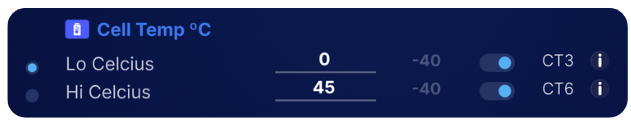
| Tag | Field | Description |
|---|---|---|
| CT3 | Lo Celcius | Minimum cell temperature; charging halts if temperature falls below this when monitoring is enabled. |
| CT6 | Hi Celcius | Maximum cell temperature; charging halts if temperature raises above this value when monitoring is enabled. |
¶ Ambient °C

| Field | Description |
|---|---|
| Lo Ambient (BT3) | WatchMon supervisor temperature threshold that is OK to operate, if below will stop the charging when monitoring is enabled. |
| Hi Ambient (BT6) | WatchMon supervisor temperature threshold that is OK to operate, if above will stop the charging when monitoring is enabled. |
¶ SoC%
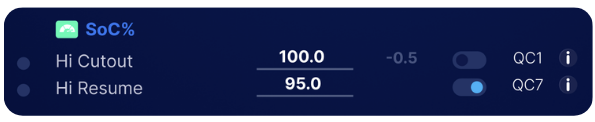
| Field | Description |
|---|---|
| Hi Cutout (QC11) | Charge will be stopped at or above this value |
| Hi Resume (QC12) | Charge will be resumed once it dips below this value after stopping |
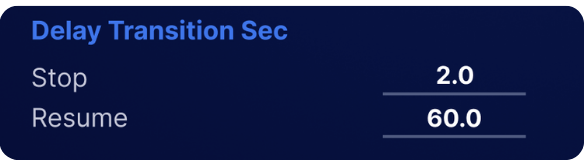
¶ Delay Transition Sec
| Field | Description |
|---|---|
| Stop | A condition to transition the BMS out of the charging state will need to be true for this many seconds before the transition will occur |
| Resume | A condition to transition the BMS back into the charging state will need to be true for this many seconds before the transition will occur |
¶ Additional Rules
| Field | Description |
|---|---|
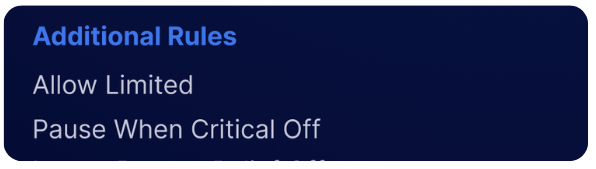
| Allow Limited | Enables limited‑power operation when cells are in bypass or cell voltages are below their low‑voltage threshold. |
| Pause When Critical Off | Charging will be paused whenever the system is in a critical state, preventing any charging activity until the critical condition is resolved. |
| Ignore Bypass Relief Off | When enabled, charging will continue during a thermal relief state instead of stopping. |
| Amp Off = Non Zero | When turned on, if the BMS needs to stop charging, will instead ask for 0.1A (smallest possible), as some inverters treat 0A charge limit as "discharge quickly now" |
| Amp Off = Normal Target | When turned on, if the BMS needs to stop charging, will instead ask for full current, as Victron inverters pass reductions in current to solar MPPTs when in DVCC mode, preventing grid feed. This function relies on DVCC Voltage adjustments to stop the charging. |
| Volt - Dynamic Targets | When turned on, this setting will dynamically adjust the voltage limit sent to the inverter as per the Dynamic Preset in the Remote area. This is needed for Victron systems in DVCC mode. To start changing it will raise the target above the actual. To stop will lower to match the actual. |