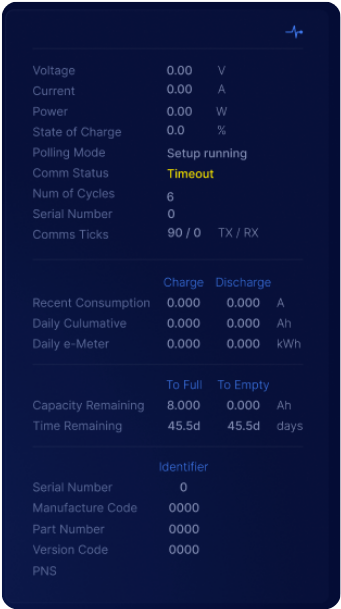
Guide article of the new Toolkit3 app to allow users to configure the Shunt Hardware Settings.
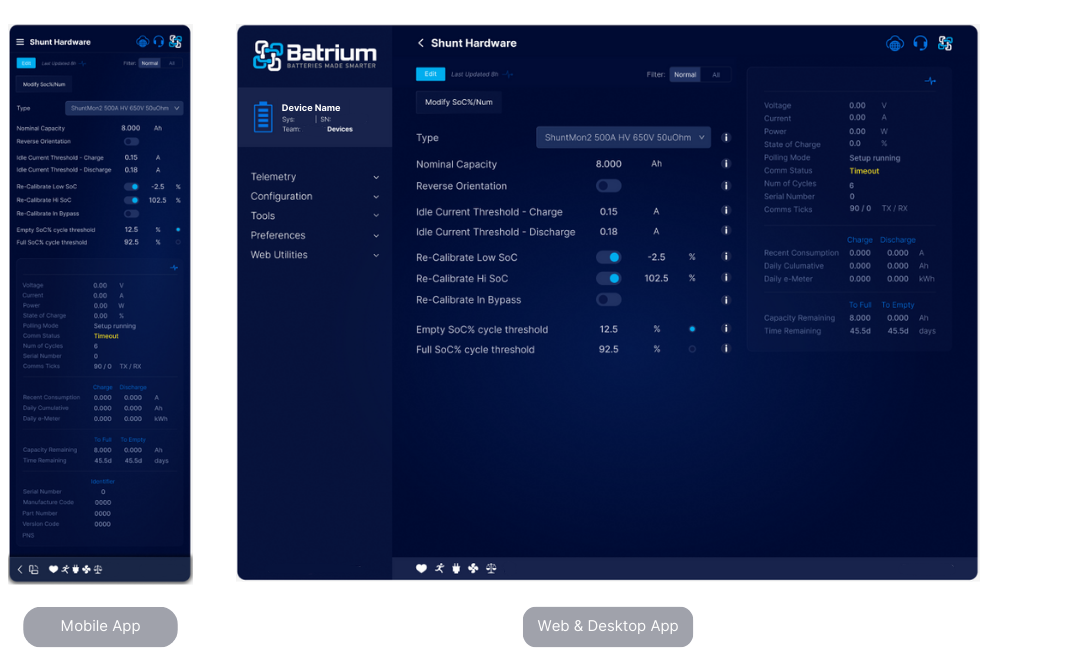
Navigate to the screen via the Menu and choose the Configuration tab. Choose Shunt Hardware from the drop-down menu.
¶ Edit Mode Overview
Editing is only available when in 'Technician' mode.
For guide on how to make changes, go to Configuration Guide and Icons.
- Specify the battery capacity Ah.
- Save.
¶ Action Buttons
¶ Modify SoC% Num
Use this button if wanting to modify or make changes to the SoC%
¶ Field Definitions
¶ Type (QL1)
The type of shunt used can be selected.

ShuntMon2 500A 650V 50uOhm is the one that comes with starter kits. The shunt simulator allows testing without a shunt.
| Field | Description |
|---|---|
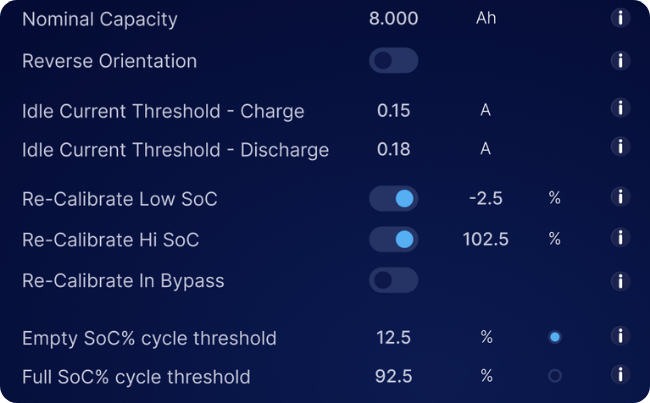
| Nominal Capacity (QN1) | Nominal capacity in Ah. If you have multiple cells in parallel, or banks in parallel, then you will have to combine these to the total for the entire system |
| Reverse Orientation (QF1) | Toggle this on if you have mounted your shunt in reverse orientation for mechanical reasons. Used to ensure that the system will correctly detect if charging (+Amp) or discharging (-Amp) to trigger the correct logic and SoC% accumulation. |
| Idle Current Threshold - Charge (QA11) | Below this charge current, the battery is considered in a idle state, rather than charging. Used by the BMS to detect when the battery is at rest and have different logic. |
| Idle Current Threshold - Discharge (QA12) | Below this discharge current, the battery is considered idle state. Set this value to account for the self consumption connected to the battery to aloid this being reported as discharging. |
| Re-Calibrate Low SoC (QC1) | When SoC% goes below this value, the usable Ah of the battery is increased to recalibrate to empty 0% capacity. The bms will jump in steps to be able to properly account for the consumption in Ah. |
| Re-Calibrate Hi SoC (QC13) | When SoC% goes above this value, the usable Ah of the battery is increased to recalibrate to full 100% capacity . The bms will jump in steps to be able to properly account for the consumption in Ah. |
| Re-Calibrate in Bypass (QF2) | When all cells have balanced according to their rules, this will reset the SoC% to 100% capacity |
| Empty SoC% Cycle Threshold (QC4) | SoC percentage to consider a battery empty for the purpose of counting cycles. This is to avoid counting micro cycles (i.e. 100% to 95% to 100%). Typically this should be 35% hence will see a cycle recorded when 100% to 30% and back to 90%. |
| Full SoC% Cycle Threshold (QC8) | SoC percentage to consider a battery full for the purpose of counting cycles. This is to avoid counting micro cycles (i.e. 100% to 95% to 100%). Typically this should be 85% hence will see a cycle recorded when 100% to 30% and back to 90%. |
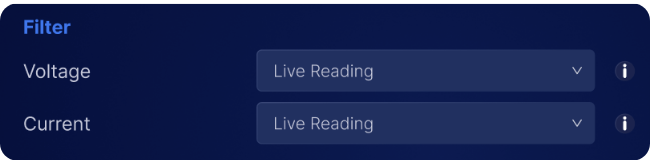
¶ Filter
| Field | Description |
|---|---|
| Voltage (QL2) | If you are experiencing occasional errors in your voltage due to external equipment (inverters, motors etc.) you can enable additional digital filtering with this option. "Live Reading" is the default, try the other options and see what works best. |
| Current (QL3) | If you are experiencing occasional errors in your current due to external equipment (inverters, motors etc.) you can enable additional digital filtering with this option. "Live Reading" is the default, try the other options and see what works best. |
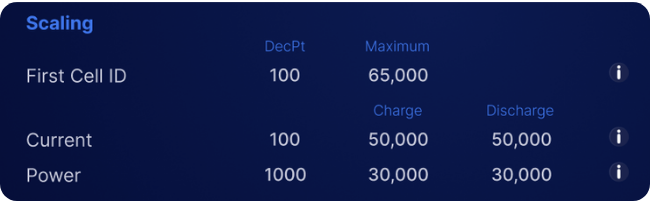
¶ Scaling
| Field | Description |
|---|---|
| Volt DecPt (QN11) | Scaling multiple for Voltage (i.e. decimal point with values of 1000,100,10,1 ) depending on the shunt hardware adopted. |
| Volt Max (QN12) | Display maximum Voltage possible. Limits used on charting and dials. |
| Amp DecPt (QN13) | Scaling multiple for amperes/current (i.e. decimal point with values of 1000,100,10,1 ) depending on the shunt hardware adopted. |
| Amp Charge Max (QN14) | Display maximum Charge amperes/current possible. Limits used on charting and dials. |
| Amp Discharge Max (QN15) | Display maximum Discharge amperes/current possible. Limits used on charting and dials. |
| Power DecPt (QN16) | Scaling multiple for Power / watts (i.e. decimal point with values of 1000,100,10,1 ) depending on the shunt hardware adopted. |
| Power Charge Max (QN17) | Display maximum charge power / watts possible. Limits used on charting and dials. |
| Power Discharge Max (QN18) | Display maximum discharge power / watts. Limits used on charting and dials. |
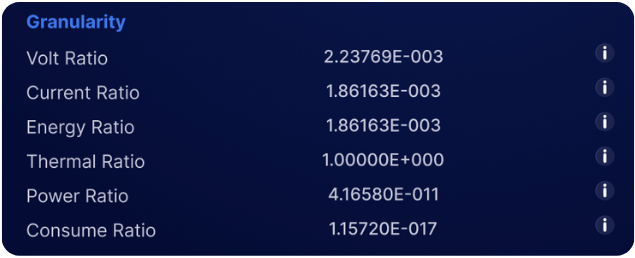
¶ Granularity
| Field | Description |
|---|---|
| Volt Ratio (QN21) | Voltage measurement granularity, used for calibration to take sensor values and multiple to convert to readings. |
| Current Ratio (QN22) | Current measurement granularity (A), used for calibration to take sensor values and multiple to convert to readings. |
| Energy Ratio (QN23) | Energy measurement granularity Wh, used for calibration to take sensor values and multiple to convert to readings. |
| Thermal Ratio (QN24) | Thermal measurement granularity, used for calibration to take sensor values and multiple to convert to readings. |
| Power Ratio (QN25) | Power measurement granularity (W), used for calibration to take sensor values and multiple to convert to readings. |
| Consume Ratio (QN26) | Consumption measurement granularity (Ah), used for calibration to take sensor values and multiple to convert to readings. |
¶ Shunt Readings